DO NOW:
Vote/+1 your favorite Pumpkin Portrait
Comment why you chose it (English Grade)
OBJECTIVES:
English - Halloween Story AM PM
Math - Measuring activities
Continue Editing News Video and Script
Friday, October 20, 2017

Thursday, October 19, 2017
News Video Editing
DO NOW:
OBJECTIVES:
- Meet with your partner and discuss what you think you can get done today for your News Story
- Type your objectives in your blog. (Be prepared to present)
- Post your Pumpkin Portrait to the Community
OBJECTIVES:
- Shoot and/or start editing your B-Roll (see sample blog from yesterday for steps)
- Write script/shot sheet for News Story
Wednesday, October 18, 2017
Pumpkin Project, News Story Editing
DO NOW:
Turn-In Permission Slips
Measure a 6"x 8" square and cut it out. Write your name on the back
Adobe Premiere in Netflix Series
OBJECTIVES:
Finish Pumpkin Project (Submit to Classroom, Print, Add to Community)
Edit News Story Video (In/Outs, Trim middle, Brightness & Contrast, Lower thirds)
Write Script/Shot Sheet for News Package
Turn-In Permission Slips
Measure a 6"x 8" square and cut it out. Write your name on the back
Adobe Premiere in Netflix Series
OBJECTIVES:
Finish Pumpkin Project (Submit to Classroom, Print, Add to Community)
Edit News Story Video (In/Outs, Trim middle, Brightness & Contrast, Lower thirds)
Write Script/Shot Sheet for News Package
Tuesday, October 17, 2017
Adobe Premiere, Pumpkin Project
DO NOW:
+1 your favorite parallax project
Write a comment WHY you chose it - be specific (English Grade)
Get your "Scary Face" Picture taken in studio
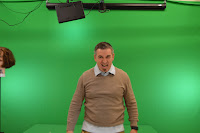
OBJECTIVES:
Finish Premiere Demonstration - Drone Footage - Submit to Google Drive Folder
Premiere Lesson Part 1, Part 2
Shoot video for News Story
Photoshop Pumpkin
Twitter Tuesday/Extra Credit: Post your parallax project #OCVTSDVC
+1 your favorite parallax project
Write a comment WHY you chose it - be specific (English Grade)
Get your "Scary Face" Picture taken in studio

OBJECTIVES:
Finish Premiere Demonstration - Drone Footage - Submit to Google Drive Folder
Premiere Lesson Part 1, Part 2
Shoot video for News Story
Photoshop Pumpkin
Twitter Tuesday/Extra Credit: Post your parallax project #OCVTSDVC
Monday, October 16, 2017
Parallax Project, Video Editing, Halloween Jack-O-Lantern
DO NOW:
- Turn-In Permission slips
- Get grade report and complete missing work
- Finish Photoshop Animation Quiz in Google Classroom.
Use any notes and help each other but no doing it for anyone!
OBJECTIVES:
- Finish Parallax Project/Submit in Classroom
- Video Editing in Premiere demo (SCIENCE GRADE)
- Halloween Jack-O-Lantern Intro., /Take scary face photo in studio
**BEACH ANGELS**

Friday, October 13, 2017
Quiz, Applieds, New Video
DO NOW:
 Next week is School Violence Awareness Week”, we will be creating a
bulletin board at the front entrance that will state, “Brick Center Students
Join Together to Prevent School Violence”. To further emphasize this concept,
we will be attaching to this bulletin board, a paper chain consisting of a
personalized link from each student in the building.
Next week is School Violence Awareness Week”, we will be creating a
bulletin board at the front entrance that will state, “Brick Center Students
Join Together to Prevent School Violence”. To further emphasize this concept,
we will be attaching to this bulletin board, a paper chain consisting of a
personalized link from each student in the building.
Personalize strips of paper in any positive manner they like…including
their name or initials, along with a positive design or word or two, if desired
OBJECTIVES:
Next week is School Violence Awareness Week”, we will be creating a
bulletin board at the front entrance that will state, “Brick Center Students
Join Together to Prevent School Violence”. To further emphasize this concept,
we will be attaching to this bulletin board, a paper chain consisting of a
personalized link from each student in the building. OBJECTIVES:
- Take Photoshop Animation Quiz in Google Classroom.
- Use any notes and help each other but no doing it for anyone!
- Applied Math
- Applied English
- Finish Parallax Project:
- Person gets smaller
- background gets bigger
- text (Parallax Effect, Your Name) with stroke
- Text gets bigger at middle of animation (Not the end)
- Audio
Thursday, October 12, 2017
Parallax, News Story
DO NOW:
- Go speak to your selected class and ask if today is good to shoot/what time
- Have "long shot" photo taken in studio
OBJECTIVES:
- Create Parallax Video in Photoshop NOTES
- Shoot News Story
- Download, convert and trim clips for News Story
Wednesday, October 11, 2017
Parallax Project, News Story Production
DO NOW:
- Go speak to your selected class and ask if today is good to shoot/what time
- (MATH GRADE)Create a new photoshop file: Set image size to 1920x1080 72 dpi
Place your landscape image into the document and transform it to fit - +1 your favorite Liquify Project. Describe why you chose it as a comment (English Grade)
OBJECTIVES:
- Have "long shot" photo taken in studio
- Create Parallax Video in Photoshop NOTES
- Shoot News Story
- Download, convert and trim clips for News Story
Tuesday, October 10, 2017
Missing Work, Aligning Photos, Parallax
DO NOW:
Check grade report for missing assignments
Upload "Landscape Pictures"
Vote for best Shore collision and Portrait Retouching
OBJECTIVES:
Check grade report for missing assignments
Upload "Landscape Pictures"
Vote for best Shore collision and Portrait Retouching
OBJECTIVES:
- Complete missing work
- Discuss Liquify Filter. Adobe resource. Submit for project grade in Classroom
- Align multiple pictures & mask-out bad ones.
Complete “Group Photo Masking” lesson using these pictures - Use landscape pictures to create "Parallax"
Friday, October 6, 2017
Internet Quiz, Applied Math & English
DO NOW:
Look over your notes for how the internet works, blogs vs. websites, HTML code for making a table and using the Liquify Filter. Ask any questions.
OBJECTIVES:
Homework:
Take Landscape photos to use for Parallax Project
Bring in pictures to scan
Here is my resume
Look over your notes for how the internet works, blogs vs. websites, HTML code for making a table and using the Liquify Filter. Ask any questions.
OBJECTIVES:
- Internet/Photoshop Quiz
- Organize video clips for news story.
- Let me know if you need help saving/converting video files
- Applied Math: Ruler Activities
- Applied English: Letters to Self, Contact info on Resume - Link to Summary for 100!!
- Complete daily summary using table in Blogger
Homework:
Take Landscape photos to use for Parallax Project
Bring in pictures to scan
Here is my resume
Thursday, October 5, 2017
News Story Filming, Liquify, Group Photo Masking
DO NOW:
Sign-Out video camera equipment from managers if you plan on using one.
Sign-Out video camera equipment from managers if you plan on using one.
OBJECTIVES:
a. Submit Portrait Restoration Project
b. Film your news story, save footage to your student drive, upload samples to blog
c. Complete “Liquify” lesson
d. Complete “Group Photo Masking” lesson using these pictures
e. Write your Blog Post OR Google + Summary telling me how far you got AND post a JPEGs/Video Files
**Quiz tomorrow on How the Internet Works and the Liquify Filter
Wednesday, October 4, 2017
News Story Filming, Liquify, Group Photo Masking
DO
NOW:
Check-in with substitute teacher for attendance
Check-in with substitute teacher for attendance
Sign-Out video camera equipment from managers if you plan on using one.
OBJECTIVES:
a. Submit Portrait Restoration Project
b. Film your news story, save footage to your
student drive, upload samples to blog
c. Complete “Liquify” lesson
d. Complete “Group Photo Masking” lesson using these pictures
e. Write your Blog Post OR Google +
Summary telling me how far you got AND post a JPEGs/Video Files
Tuesday, October 3, 2017
Portrait Restoration, Liquify, Camera Demo
DO NOW:
Finish Portrait Restoration - Copy side of face, flip and mask
Liquify Effect
Camera Demo
- What to you remember about how the internet works?
Reply with your answer and DON'T repeat someone else's - Vote for best Shore Collision Retouching by +1 in Google Community
Finish Portrait Restoration - Copy side of face, flip and mask
Liquify Effect
Camera Demo
Monday, October 2, 2017
Catch-Up, Review, HTML/Blogs, Liquify
DO NOW:

- Get Grade Report
- Complete any missing work:
Coasters, Picture Scanning, Copyright Research, Shore Collision, Portrait Restoration, Photo Scanning Quiz - Vote for best Shore Collision Picture
OBJECTIVES:
- Project Review: Shore Collision, Copyrights, Portrait Restoration, Quiz
- Understand the internet and use HTML to create blog.
Read Blogs vs. Websites; What are 3 advantages?
Read How the Internet works, answer questions
Apply code to make blog - Use Liquify tools to fix photos
Homework:
- Bring in pictures to scan
- Take a Landscape picture of a "Place of Contemplation"

Subscribe to:
Posts (Atom)